Button actions
With its sleek and unobtrusive hardware design, viaSens offers a capacitive button for triggering multiple button actions while working and debugging the device.
All actions require entering service mode first.
| Action | Press type | Press Duration | Animation |
|---|---|---|---|
| Enter service mode | Long press+release | 2 seconds + release within 2 seconds | Blinking to static blue in the first 2s |
| Soft reboot | Long press | Enter service mode without releasing + keep pressing for 2 more seconds | Blinking to static orange (2s) then release within 2 seconds |
| Full reset | Long press | Enter Soft reboot without releasing + keep pressing for at least 4 more seconds (12 seconds in total) | Blinking ever faster to static red (4s) then release within 5 seconds |
| Movement test mode | One short press | 200ms | First light blue quarter on until first presence detected animation occurs and then blinking yellow upon presence detection until presence no longer detected, no animation displayed while presence is not detected (except in cases where MQTT animations are sent to the device) |
| Status publish mode | Two short presses | 200ms | Second light blue quarter on, status message packets will be sent every 10 seconds to MQTT broker |
| Reserved test modes | Three/Four short presses | 200ms | Corresponding quarters lit in white |
| Exit service mode | 5 Short presses | 200ms | One quarter lit in blue for each press, then OFF on 5th press |
Status publish mode - status packets are usually sent every minute after boot, until the configuration packet is received from the MQTT. This serves as a handshake mechanism. But, upon entering and staying in the second quarter of the service menu, status messages are sent every 10 seconds, regardless of the received configuration.
Reboot/Reset sequence

The button animation sequence above is NOT aligned with the actual behavior. Please refer to the textual instructions for accurate guidance.
The service mode and all submodes are exited automatically after one hour.
If the button is released during the static orange, soft reboot is performed.
If the button is released during the static red, hard reset is performed. If the button is still pressed after the static red animation disappears, nothing will happen. After 1 minute of pressing the button, the button will be automatically released even if the user keeps pressing it.
Service mode
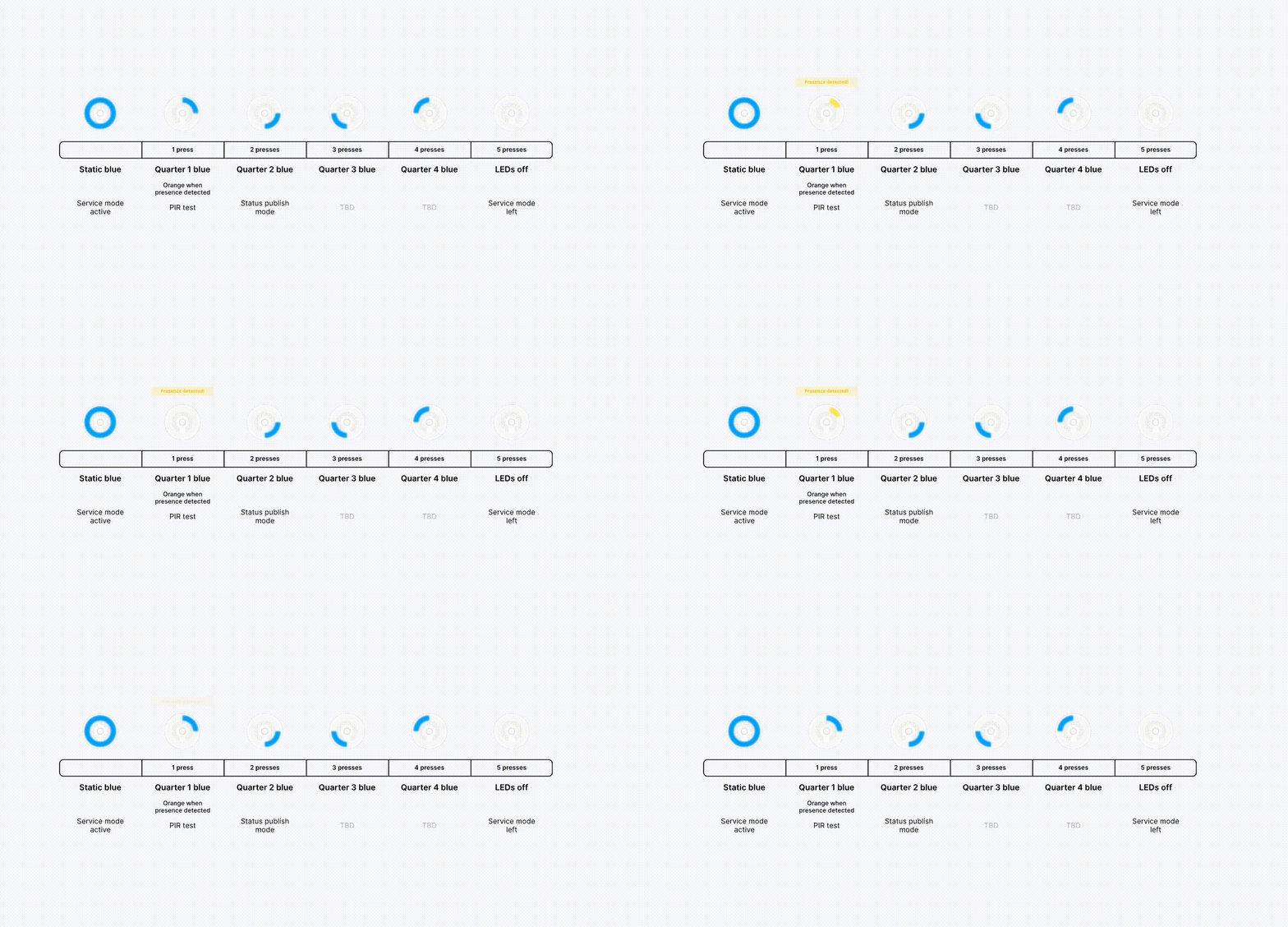
The button animation sequence above is NOT aligned with the actual behavior. Please refer to the textual instructions for accurate guidance.
The user can cycle through the menu using multiple presses. Each press must be separated from the next one by at least 500ms.