Calibration
Overview
Device's temperature (FIR), movement (PIR) and illuminance sensors can be calibrated. FIR's surface emissivity, PIR's sensitivity and light sensor's slope and intercept can be manually set.
Calibration through the mobile app
Calibration through the mobile app consists of a few steps:
- selecting (unprovisioned or provisioned) device you want to calibrate
- selecting 'Calibrate' button
- saving the changes
Start by navigating to the Provisioning screen in the mobile app menu.
For already provisioned devices, refer to Recommissioning. Select 'Calibrate' button on the Recommissioning screen.
For unprovisioned devices, refer to refer to Provisioning. After adding a new project & network (if necessary) and selecting a device, select 'Calibrate' button on the following screen:
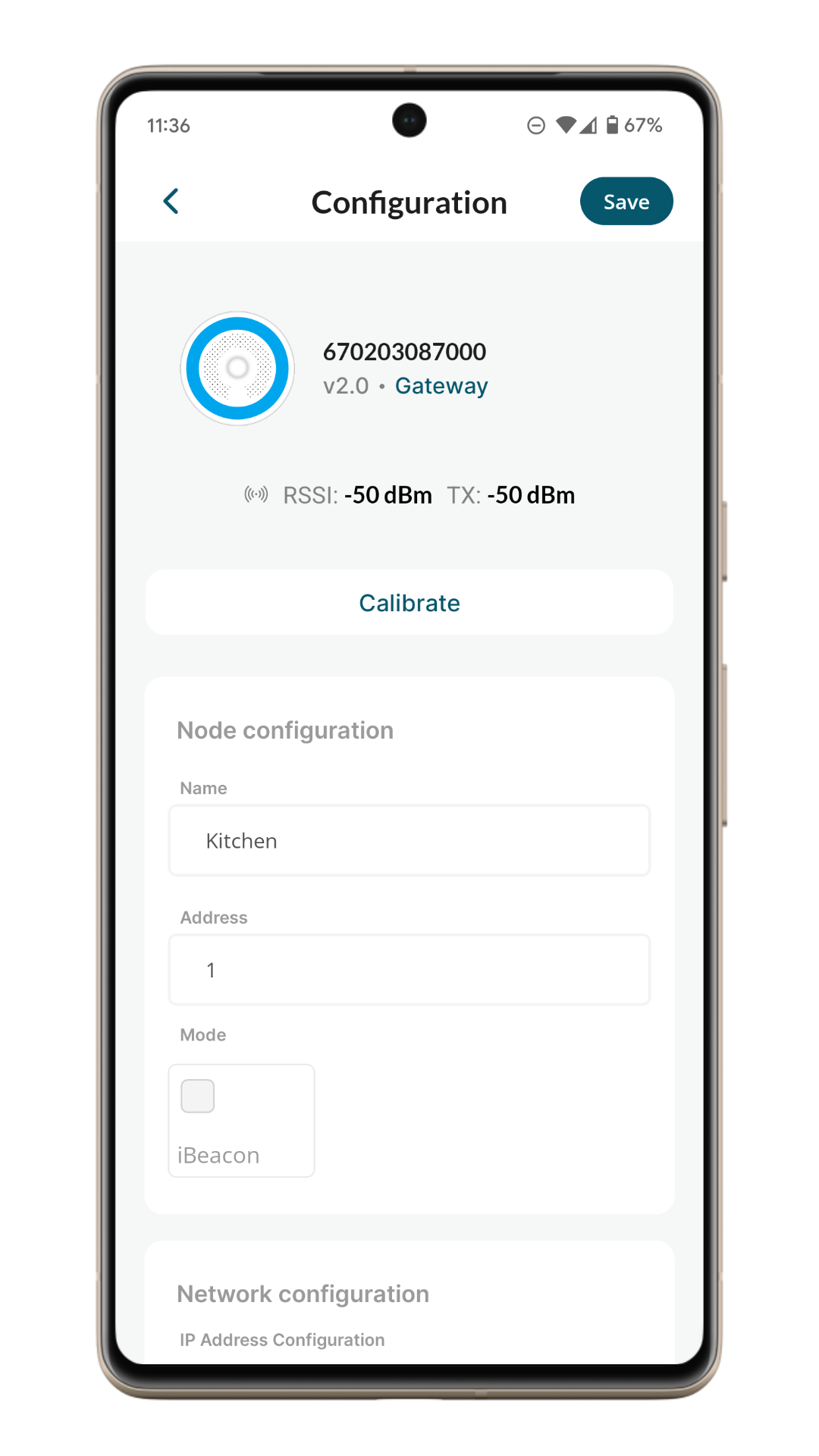
The following screen appears:
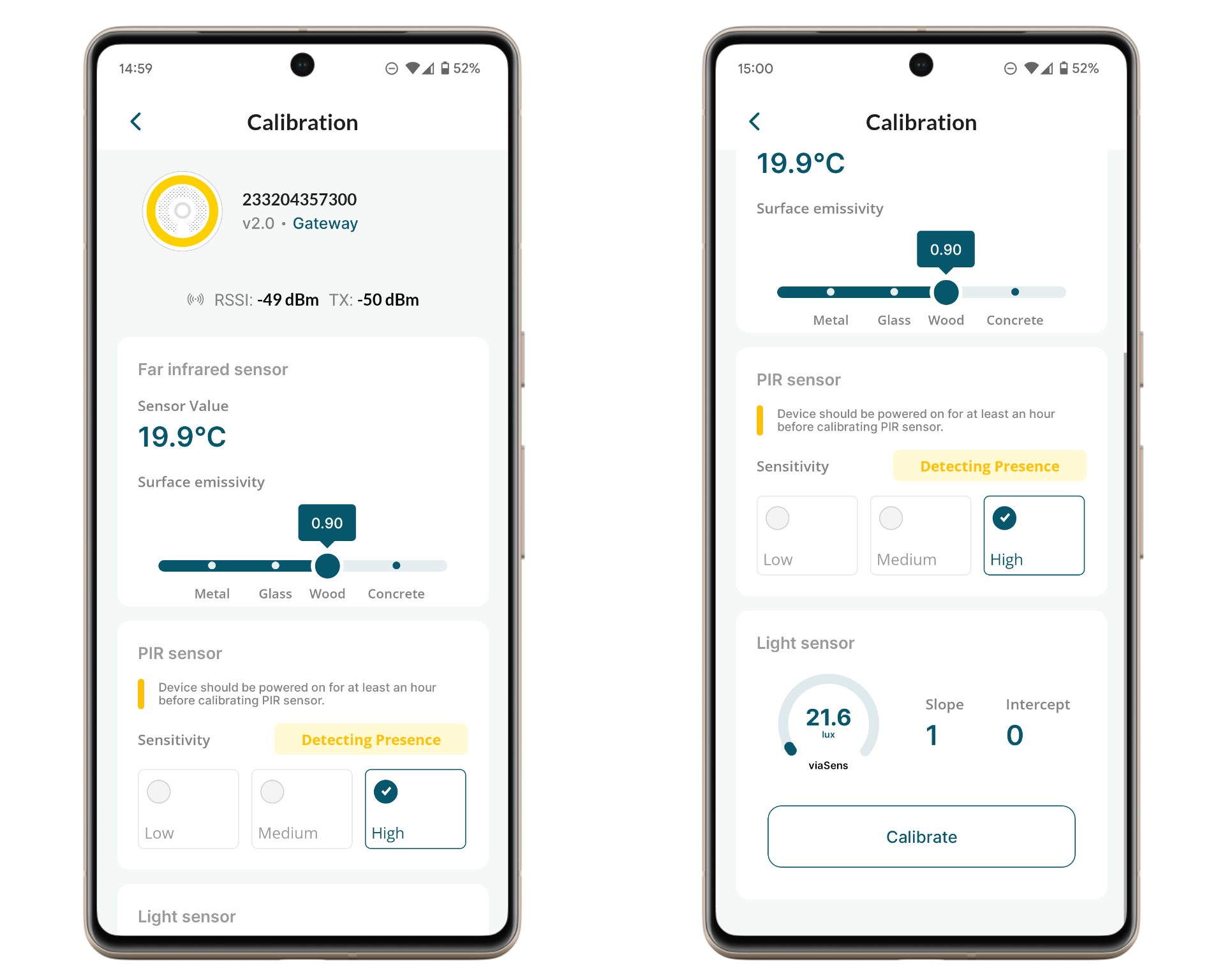
The emissivity of the FIR sensor can be adjusted using the slider. Once the slider is set to a specific value, the setting is automatically sent to the device.
The sensitivity of the PIR sensor can be configured by selecting one of the labels: Low, Medium, or High. Similar to the emissivity setting, the selected value is automatically transmitted to the device without requiring manual saving.
Device should be powered on for at least an hour before calibrating PIR sensor.
The light sensor can be calibrated by clicking the 'Calibrate' button. A new screen will appear to guide you through the calibration process:
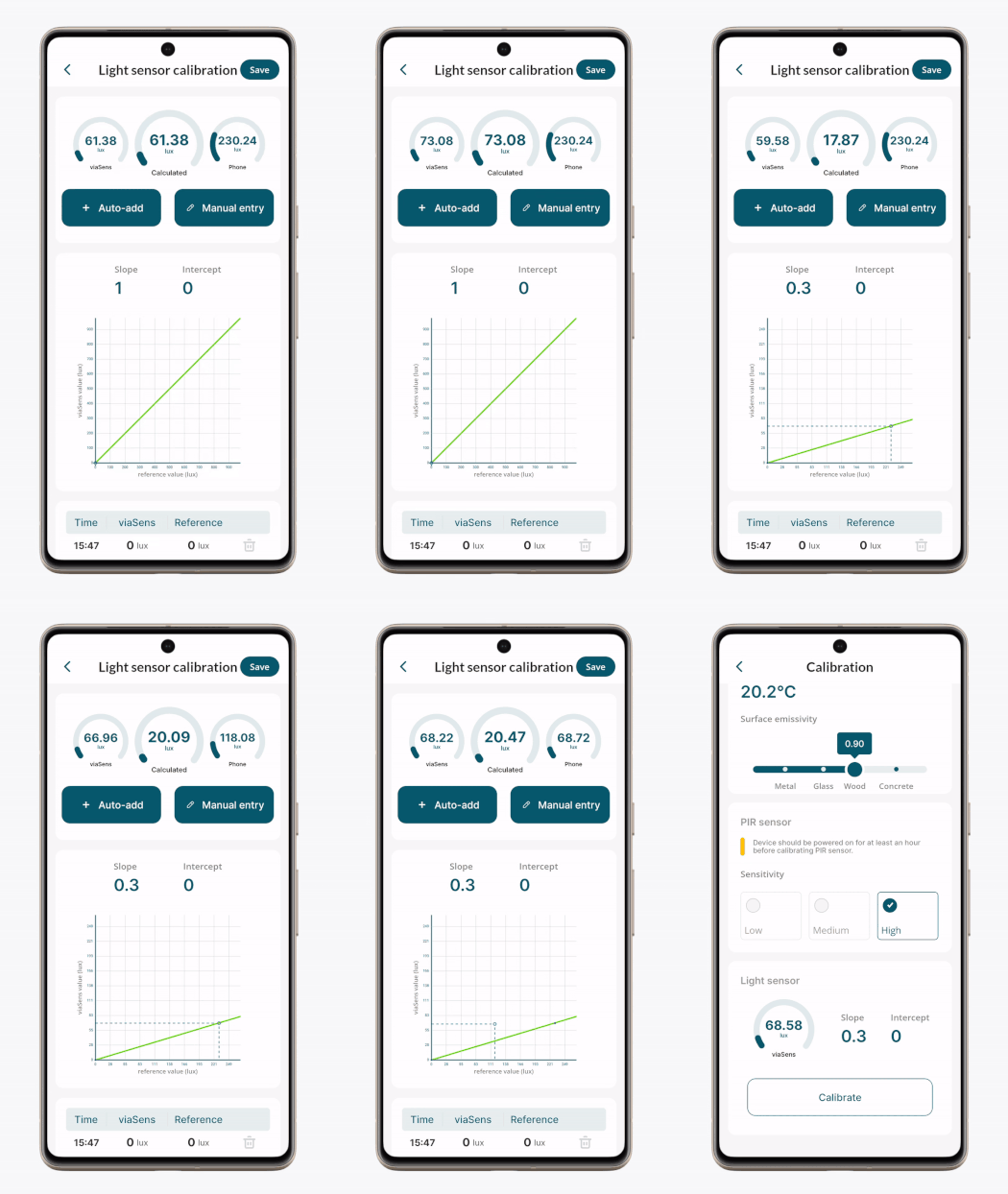
On the top of the screen, the following values are shown:
- viaSens light sensor current readings
- calculated readings with current slope and intercept
- phone light sensor current readings
The calibration system applies a linear adjustment based on the y = ax + b formula, where:
- y = calculated (calibrated) sensor value
- x = raw viaSens reading
- a = slope (adjusts proportional error)
- b = intercept (corrects fixed bias)
Automatic ('Auto-add' button, which takes phone light sensor measurement) and manual ('Manual entry' button, e.g. precise external light sensor measurement) reference measurements can be added.
The system determines the best-fitting slope and intercept to align the sensor output with the reference.
Once the calibration is satisfactory, the settings can be saved (sent to device) by clicking 'Save' button.