Recommissioning
Overview
Recommissioning enables reconfiguration of already provisioned viaSens devices in a BLE Mesh network. Users can configure the same settings as during the initial provisioning process.
Recommissioning through the mobile app
Recommissioning through the mobile app consists of a few steps:
- navigating to the device you want to reconfigure
- reconfiguring the device
- saving the changes
Start by navigating to the Provisioning screen in the mobile app menu. Next, choose the project and network associated with the device you wish to reconfigure. Finally, select the device from the network screen.
The following screen should open:
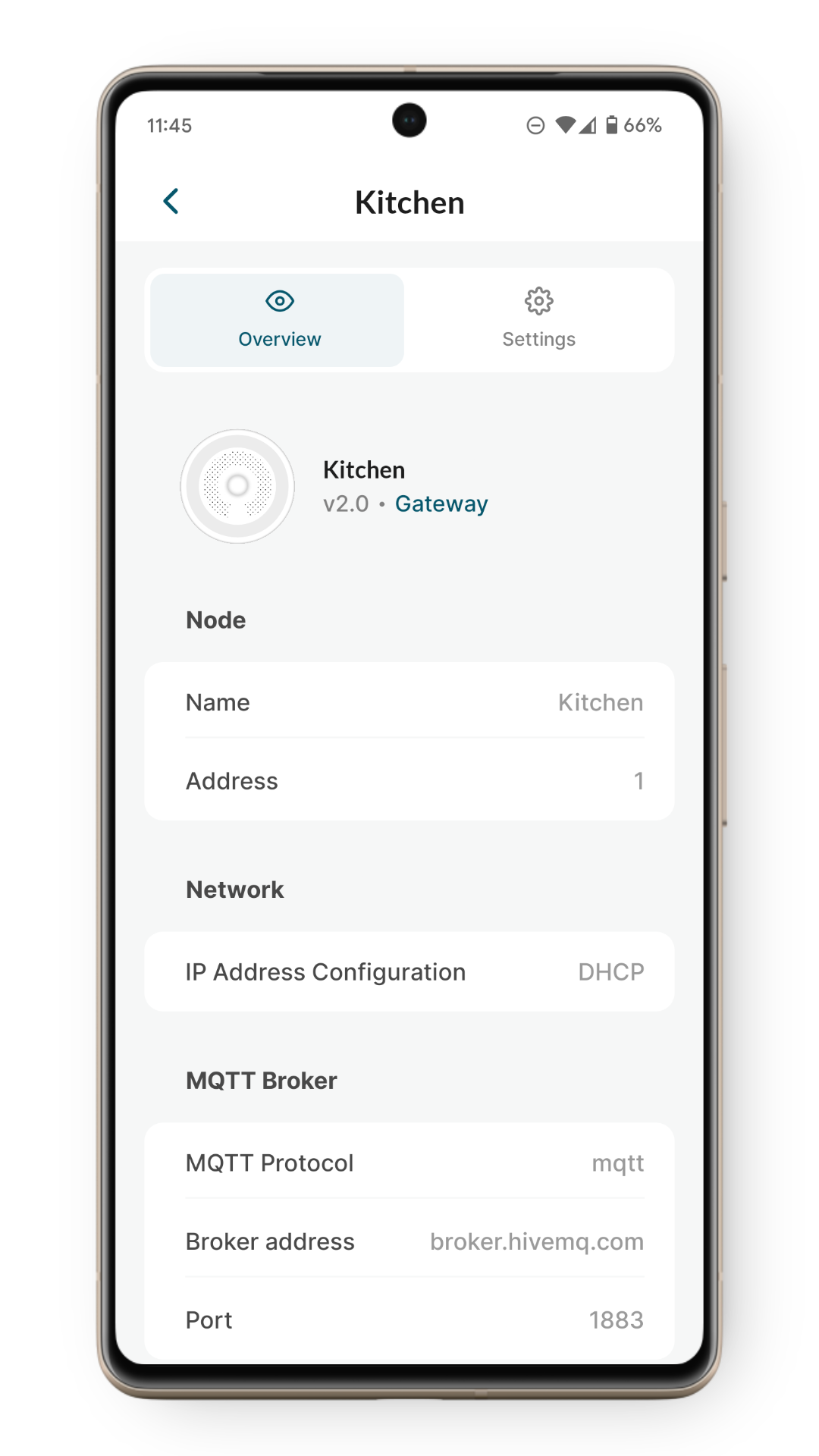
Select 'Settings' to start recommissioning the device. Device should display yellow static animation after a few seconds and the following screen should open:
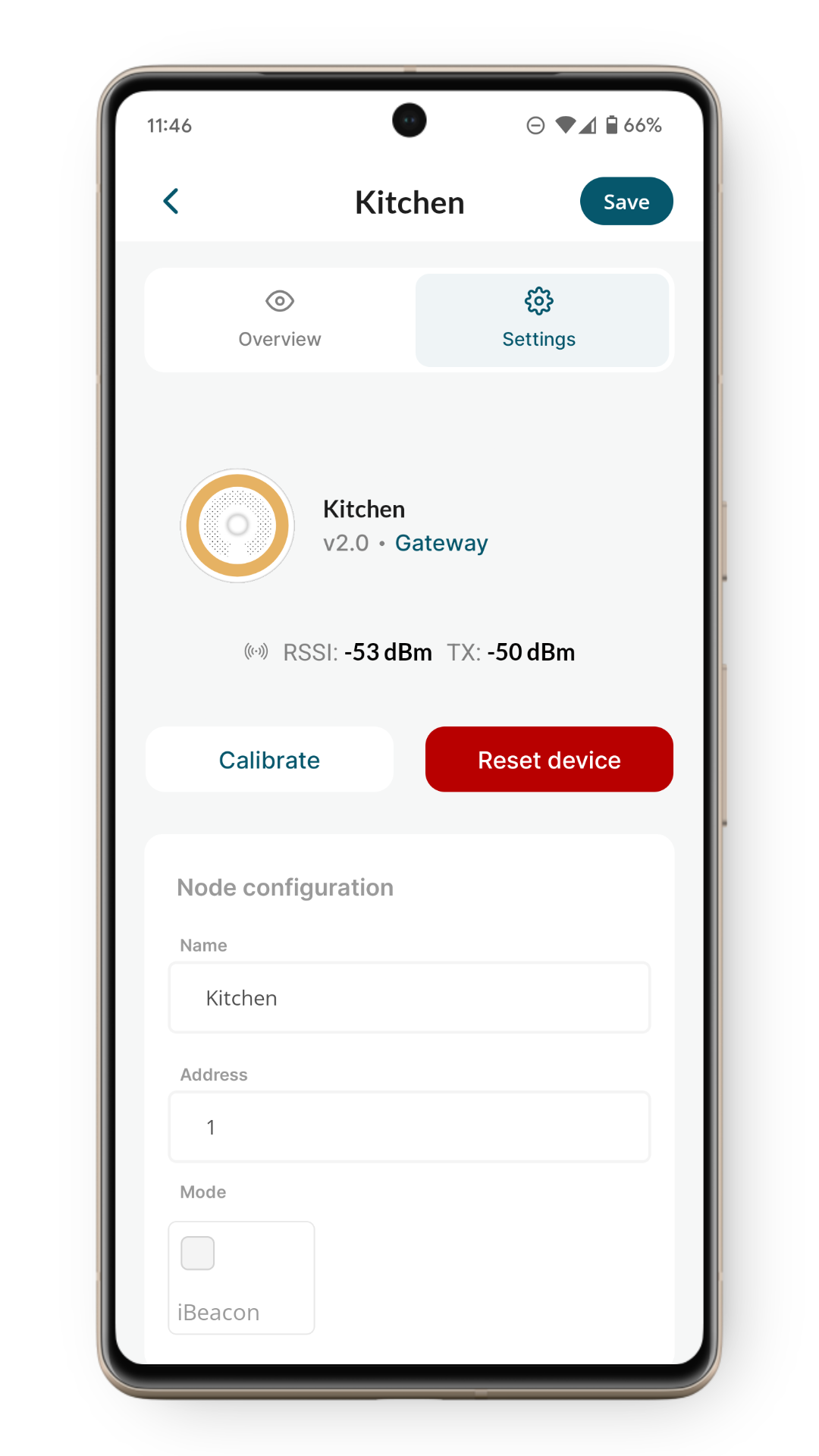
If you want to hard-reset device and remove it from the network, click on the 'Reset device' button.
Make any changes necessary and click the 'Save' button to apply the modifications. Upon successfully saving changes, the device should display green blinking animation for 5 seconds and resume normal operation.